Frequently Asked Questions (FAQ)
Switch Accounts
disconnect
auth clear
connect
If the Microsoft website is automatically logging you in with the wrong account, open the login link in an incognito/private browsing window.
Switch the MC server ZenithProxy connects to
server <address>
Example: server connect.2b2t.org
I keep getting disconnected from 2b2t!
Refer to the Disconnects.
In particular, for disconnects like:
Read timed out.
Connection closed
java.net.SocketException: Connection Reset
io.netty.channel.unix.Errors$NativeIoException: Broken Pipe
These are caused by your internet connection to 2b2t. There is nothing you or I can do to prevent this.
If you have an unstable internet connection, consider hosting on a VPS.
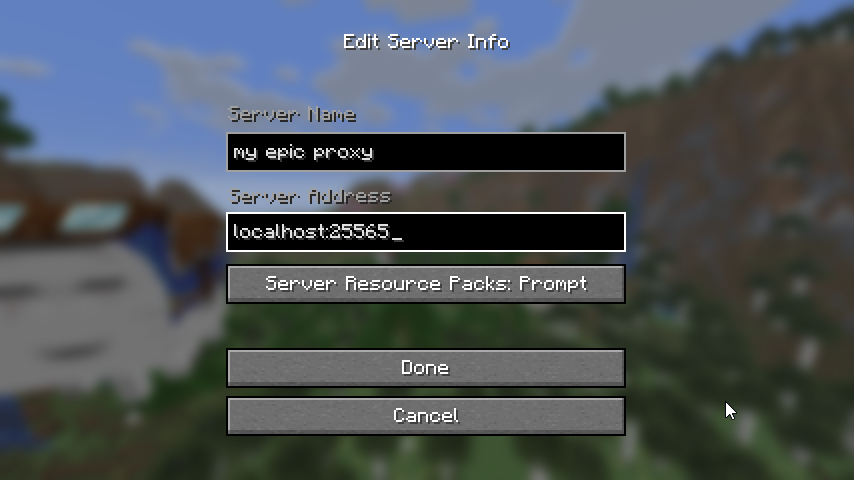
I don't know how to connect to my proxy!
Run the ZenithProxy command: status
Look for Proxy IP
Connect to that IP in your MC client
I can't connect to my proxy!
First step, run the ZenithProxy command: connectionTest
If it shows an error related to firewall:
Oracle Cloud
source: https://www.reddit.com/r/oraclecloud/comments/r8lkf7/a_quick_tips_to_people_who_are_having_issue/
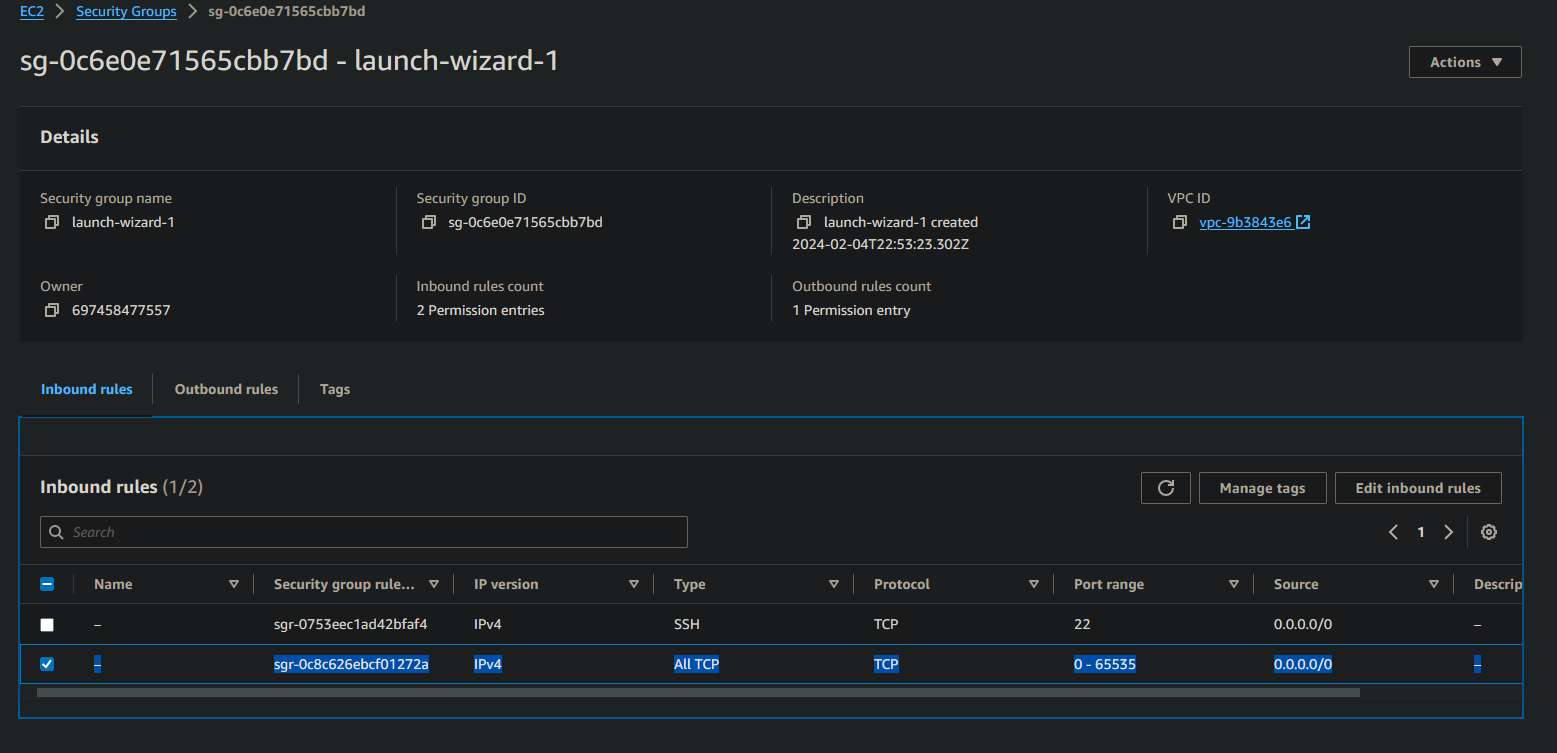
AWS
AWS calls their firewall a "Security Group".
Edit it to allow all traffic:
Other
Consult your provider's website and documentation
I'm self-hosting ZenithProxy on my home PC. How can my friends connect?
Option 1: Tunneling
Use a service like playit.gg to create a network tunnel for your friends to connect to.
You can set it up same as a normal Minecraft server, using the port ZenithProxy is listening on (serverConnection command to check port)
Option 2: Port Forwarding
Automatic port forwarding: serverConnection upnp on
The automatic method may not work depending on your router.
Otherwise you will need to manually set up port forwarding on your router, google your router model + "port forwarding" for instructions.
Option 3: VPS
Host ZenithProxy on a VPS instead of your home PC.
A VPS will have a public IP address anyone can connect to.
Spammer isn't working on 2b2t
It means you are muted, or your chats are being filtered
Everyone is muted on login until you've walked around a bit
There's also chat filters for banned words and characters
And lastly there are moderators and automated tools who can mute you without warning
How to set up the pearl loader bot
First, set up pearls with the pearlLoader commands
You can then use ZenithProxy commands to load pearls.
To be able to use the commands ingame while not connected to ZenithProxy:
Option 1: Whisper Commands
Use the ZenithProxyChatControl plugin
Option 2: ZenithProxyMod + ZenithProxyWebAPI
Use the ZenithProxyWebAPI plugin
and ZenithProxyMod
Load pearls over the API with this command
Can I run ZenithProxy while my PC is off?
No.
Some people use a spare computer.
Some choose to rent a computer in a datacenter (VPS), I recommend DigitalOcean.
How can I make my Xaero map work while using ZenithProxy?
By default, Xaero chooses which map files to use based on the server IP.
You can find the map files currently in use with the XaeroPlus commands:
/xaeroDataDir and /xaeroWaypointDir
The issue is ZenithProxy has a different IP than connecting directly to 2b2t (or other servers).
Option 1: Change Data Dir Mode
XaeroPlus has a setting: Xaero Data Dir Mode you can set to Server Name. (in the XaeroPlus WorldMap Settings page)
"Server Name" meaning the name you set up in your ingame server list.
So, if you set up your servers all with the same name, they will all use the same map/waypoints folder.
You will need to manually copy/move your existing map/waypoint files to the new folder.
Option 2: Symlinks
A symlink is like a shortcut to a folder. Meaning you can forward one folder to another.
So, you can symlink the map/waypoint folders used by each ZenithProxy IP to your main map/waypoint folders.
More info in my discord: https://discord.com/channels/1127460556710883391/1127461243054202921/1272355246206619711
Who are these unknown people pinging or trying to connect to my proxy?
if you host something on your home PC, in most cases, it is not exposed to the public internet by default
Windows has a firewall, and your router needs to have port forwarding configured
but if you host something on the public internet, anyone on the public internet can find it
there are only ~4 billion possible ip's. And it's possible to scan 4b ip's in under an hour
people have been doing this for many years across every minecraft server. some groups involved are: 5c, serverseeker, matscan, and many more
to be clear, finding a proxy's public ip does not let them get past the whitelist
if you are hosting on the public internet, and it makes you uncomfortable, there are some things you can do:
- disable server list pings:
serverConnection ping off - set up a DNS hostname, and then set
serverConnection enforceMatchingConnectingAddress on - make yourself more difficult to find:
serverConnection port <port>with something non-standard, maybe something random between 30000-65535 - set up a firewall on your OS that only allows you/your friends ip's to connect
- host on a private network instead like with tailscale, hamachi, etc